Slide Any Block PRO for Elementor
$39
Turn Elementor Blocks into Sliders
No Fixed Template to Fit Into
All Elementor Widgets Move
Nested Sliders Also Move (Just in Case)
Videos Also Move
Direction: Vertical / Horizontal (Reversible)
Speed &Colors Fully Adjustable
Restart Elementor Entrance Animation
Horizontal Scroll Layouts with Autoplay Off
Constant-Speed Slider Mode
Not Just Sliders — Tickers Too
The Free Version Is Enough Without Options
Description
Your health,
on your time
Waiting rooms
- Available 24/7
- Family coverage
- Upfront Pricing
- Digital prescriptions
- Free follow-ups
- chat, phone, video call options
150 specialties,
Download the app or sign up online
Malesuada fames ac turpis egestas integer eget aliquet nibh.
Find a doctor
msalesuada fames ac turpis egestas integer eget aliquet nibh. Egestas maecenas pharetra.

Dr. Chyna Jackson
Optometrist Specialist
Get your diagnosis and prescription
Malesuada fames ac turpis egestas integer eget aliquet nibh.
Free Follow-ups as needed
msalesuada fames ac turpis egestas integer eget aliquet nibh. Egestas maecenas pharetra.
all your questions
Lorem ipsum dolor sit amet, consectetur adipiscing elit. Sed auctor turpis eu arcu sagittis, id sagittis justo suscipit.
How Much does it Cost to speak with a doctor?
Lorem ipsum dolor sit amet, consectetur adipiscing elit. Ut elit tellus, luctus nec ullamcorper mattis, pulvinar dapibus leo.
Do Online Doctors Accept Insurance?
Lorem ipsum dolor sit amet, consectetur adipiscing elit. Ut elit tellus, luctus nec ullamcorper mattis, pulvinar dapibus leo.
Can Online Doctors Prescribe Medication?
can you help me choose the right Doctor for me?
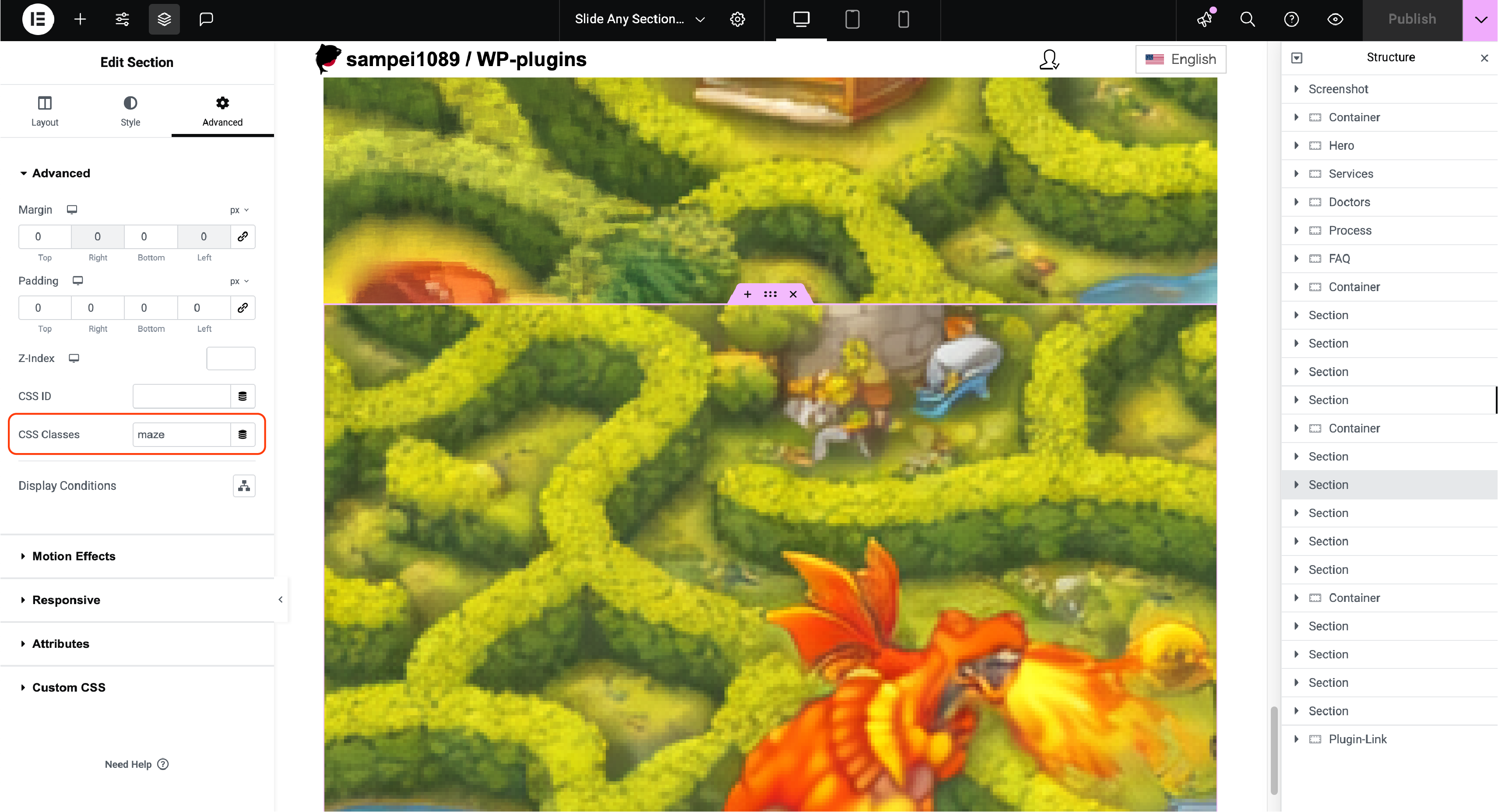
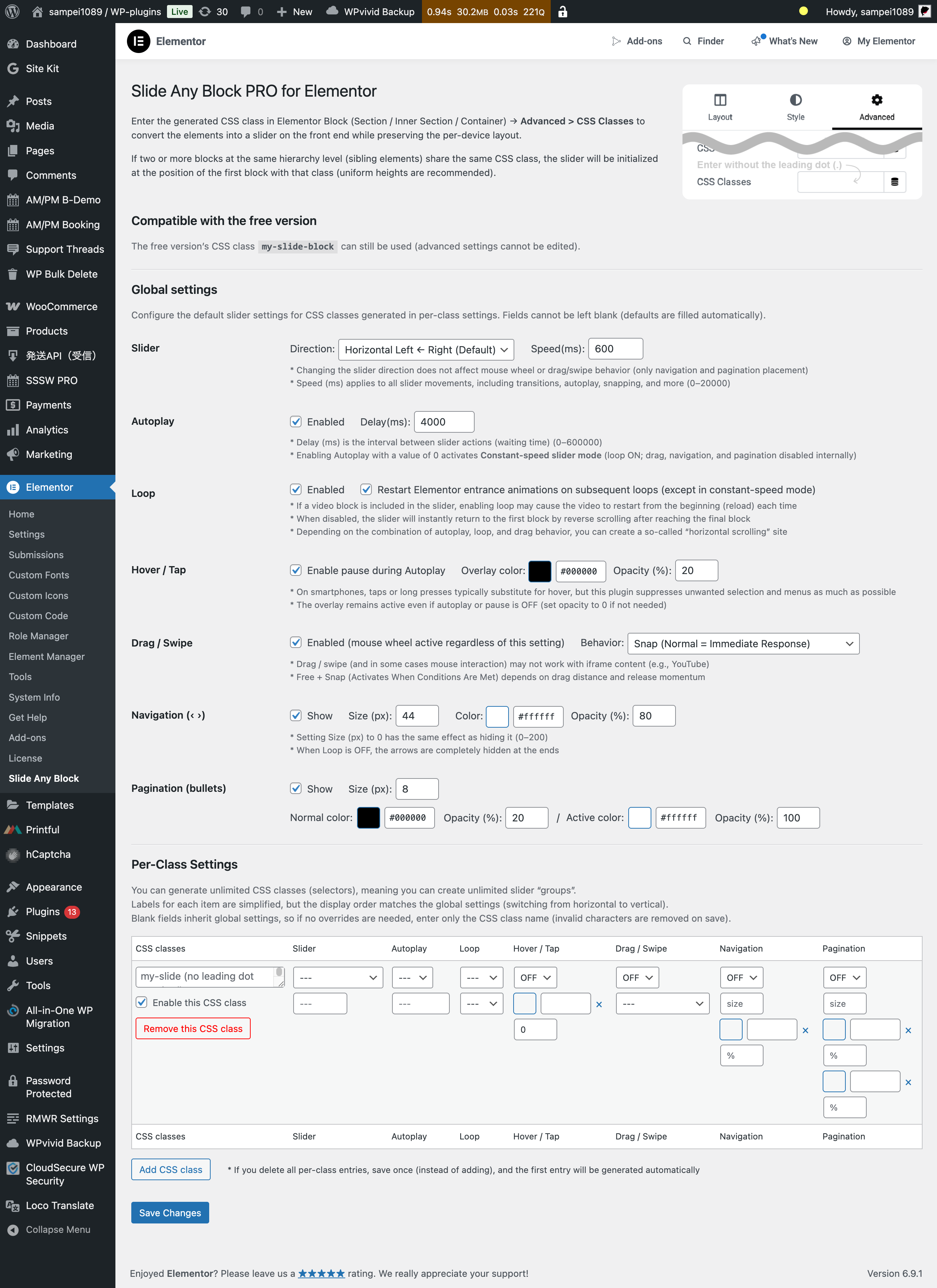
Elementor blocks (Sections, Inner Sections, and Containers) can be turned into sliders on the frontend simply by entering the generated CSS class into Advanced > CSS Classes. In the editor, you continue working as usual in a normal vertical layout.
The biggest difference from traditional slider widgets and slider plugins is that there’s no fixed template you have to fit into. Whatever you build—using widgets, shortcodes, or anything else—can be converted into a slider as-is, with your device-specific layouts preserved.
“I kept thinking—why can’t Elementor just turn blocks into sliders as they are?”
Until now, it couldn’t. That’s why existing slider widgets and plugins were the only option—but they come with clear limitations when it comes to flexible editing. This plugin was built to remove those constraints.Read More ›
Elements or backgrounds, videos or images, text, tables, grids—it doesn’t matter.
If you only need a single slider per page and don’t require fine-grained customization, the free version may be all you need.
The one thing you do need to care about is keeping the block heights consistent. This is true for any slider: if heights don’t match, you’ll get awkward jumps and extra whitespace, which interfere with smooth scrolling.
When two or more sibling blocks at the same hierarchy level share the same CSS class, the slider is created starting at the position of the first matching block. In the PRO version, you can generate an unlimited number of CSS classes—meaning you can create as many independent slider groups as you want.
The PRO version also lets you customize the slider’s appearance, speed, autoplay, and interaction behavior—everything you’d generally expect from a modern slider. One feature worth highlighting is hover handling: on mobile devices, hover is properly replaced with tap interactions, and unintended long-press actions on the slider surface are suppressed as much as possible. It’s a subtle detail, but it results in a noticeably smoother experience.
Elementorブロック(セクション・内部セクション・コンテナ)の高度な設定 > CSSクラスへ、生成したCSSクラスを入力するだけで、フロントエンドでスライダー化します。つまり、編集時には従来通りの縦積み画面で作業します。
従来のスライダーウィジェット、スライダープラグインとの大きな違いは、「型」が決まっていないことです。様々なウィジェットやショートコード等を用いて作成したブロックの “デバイスごとの要素配置そのまま” スライダー化します。
前から思ってたんだけど、Elementorってブロックのまんまスライダーにできねーの?
…できないんですよね。仕方なく既存のスライダーウィジェットを使ってきたわけですが、やはりもっと自由に編集したいんです。というわけで、作りました。要素でも背景でも、動画でも静止画像でもテキストでも、テーブルでもグリッドでも、まったく関係ナシです。同一ページ内で1つのスライダーしか設置しない、細かなカスタムも不要なら、無料版で充分です。
唯一気にすべきは、スライダーにするブロックの高さを揃えることです。これは、一般的なスライダーと同じで、高さが揃っていないと段違いや余白を生むからです。その結果、なめらかなスクロールを阻害してしまいます。
同一CSSクラスを付与した同階層のブロック(兄弟要素)が2つ以上ある場合、CSSクラスが付与された最初のブロックの位置でスライダーが展開されますが、PROでは無制限にCSSクラスを生成できます。CSSクラスの数だけ、スライダーのグループが生成できることになります。
PROでは、スライダーを構成するパーツの見た目、速度や再生、操作に関するカスタムは、ひと通りのことができるようになっています。既存スライダーと大差ないので詳細な説明は割愛しますが、特筆すべきことがあるとすれば、よくある「ホバー」時の挙動です。スマホではきちんと「タップ」で代替し、スライダー上では期待されていない「長押し」の誤認をできるだけ封じています。地味に快適な機能です。
My Plugins:
- Support Threads Tab for WooCommerce — integrates with Utilities for WooCommerce
- Product Tabs Horizontal Scroll Auto Center — bundled with Utilities for WooCommerce
- Net Museum Comments
- End Collapse for RMWR
Third-Party Plugins (My Favorites):
- Read More Without Refresh (George Gkouvousis)
Only logged in customers who have purchased this product may leave a review.
All Threads
No threads yet.

Reviews
There are no reviews yet.